

⚠️ Disclosure: This article contains affiliate links. If you click and make a purchase, I may earn a small commission at no extra cost to you. I only recommend products I believe will add value to my readers.
If you’ve been going back and forth between ChatGPT and Claude, trying to figure out which one to stick with – stop. The people getting the most out of AI in 2026 aren’t choosing one over the other. They use ChatGPT and Claude together, and they’ve built simple workflows that squeeze the best out of both.
Here’s why that matters, and exactly how to do it.
Why Use ChatGPT and Claude Together?
Most people treat these two tools like competitors. Pick one, ignore the other. But that thinking leaves a lot on the table.
ChatGPT and Claude are genuinely different. Not just in branding – in how they think, what they’re good at, and how they respond to the same prompt. Once you understand those differences, using both stops feeling like extra work and starts feeling like having two specialists on your team instead of one generalist.
The short version: ChatGPT moves fast and does a lot. Claude thinks deeply and writes well. Together, they cover the full range of what most people need AI for.
What Each One Actually Does Best
Before you can use ChatGPT and Claude together effectively, you need to know what each one brings to the table.
Where ChatGPT Wins

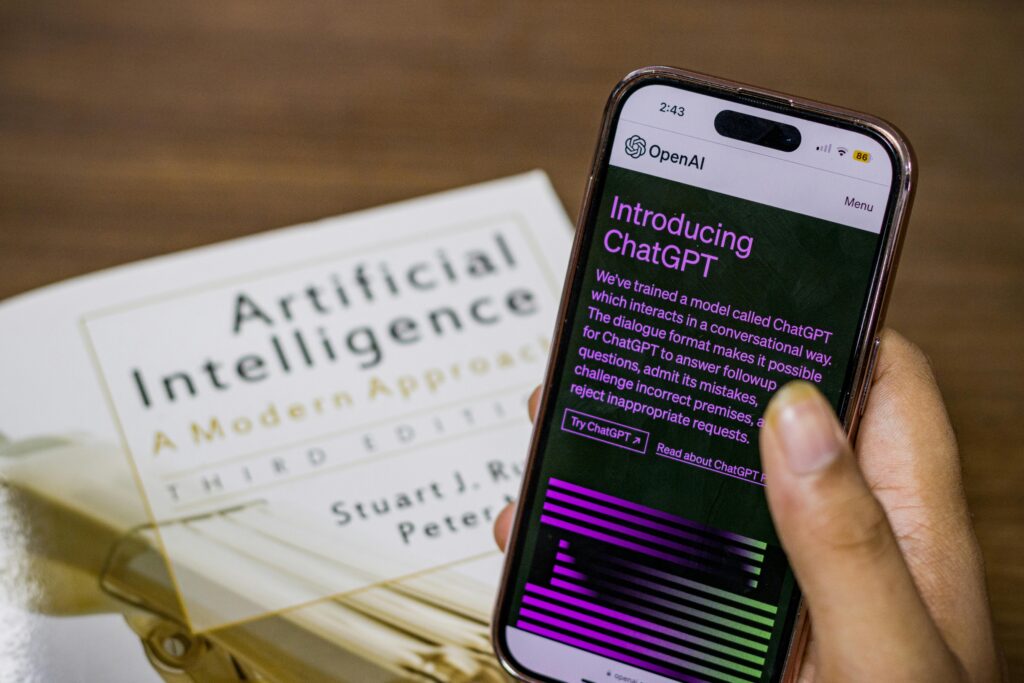
ChatGPT is the Swiss Army knife of AI tools. It’s fast, it handles a wide range of tasks, and it has features Claude simply doesn’t offer – like built-in image generation through DALL-E, real-time web browsing, and a polished voice mode that you can actually use hands-free. If you need something done quickly, want to generate a visual, or need the latest information from the internet, ChatGPT is your tool.
It also tends to be more flexible when it comes to unusual requests and offers more message volume on its paid plan – roughly 160 messages every three hours compared to Claude’s more limited quota.
Where Claude Wins
Claude is where you go when quality matters more than speed. It’s noticeably better at long-form writing – the kind that reads like a real person wrote it rather than a machine. It handles complex instructions more carefully, tends to ask clarifying questions before diving in (which means fewer do-overs), and produces cleaner, more structured outputs.
Developers in particular have leaned heavily into Claude. Its coding accuracy sits around 95% in independent tests, compared to roughly 85% for ChatGPT – a gap that adds up fast on any serious project. Claude also holds larger amounts of context in memory, which matters when you’re working with long documents or multi-file codebases.
How to Use ChatGPT and Claude Together: 4 Real Workflows
Here’s where things get practical. These are the actual workflows people are using right now.
1. The Writing Workflow
This is the most common combination, and it works like a charm for bloggers, marketers, and anyone producing written content regularly.
Use ChatGPT to brainstorm. Throw your topic at it, ask for angles, outlines, or headline ideas. It’s fast and generates a lot of material quickly. Then take the direction you like into Claude and let it do the actual writing. Claude’s output reads more naturally, needs less editing, and holds together better over longer pieces.
Think of ChatGPT as your idea machine and Claude as your writer.
2. The Coding Workflow
If you write code, this workflow is genuinely game-changing.
Start with ChatGPT when you’re exploring architecture or trying to get something working quickly. It’s great for isolated scripts, quick implementations, and talking through structural decisions. Once you have something to work with, bring Claude in to review it. Claude is significantly better at catching bugs, reviewing multi-file projects, and holding the full codebase in context – something ChatGPT starts to struggle with as projects grow.
One developer described it this way: ChatGPT builds, Claude inspects. Keep their roles separate and you’ll waste far less time debugging.
3. The Research Workflow
For anyone who does a lot of research – journalists, analysts, consultants, students – this pairing is a natural fit.
ChatGPT has live web access, so use it to pull current information, find recent data, and gather sources. Then hand that raw material to Claude. Claude is better at synthesizing information, structuring it clearly, and catching gaps in reasoning. It turns a pile of facts into something readable and useful.
4. The Content Production Workflow
For marketers running campaigns or anyone producing content at volume, this is where the combination really pays off.
Use ChatGPT for the fast stuff – headline variations, image generation, quick social posts. Use Claude for anything that needs a stronger voice or more persuasive writing – sales emails, long-form copy, brand documents. Claude’s writing tends to convert better because it sounds less like a template.
Does It Cost More to Use Both?
Both ChatGPT Plus and Claude Pro are priced at $20 a month, so running both together costs $40 a month in total.
Whether that’s worth it really depends on how much you rely on AI in your work. For freelancers, content creators, developers, and anyone who uses these tools every day, the productivity difference more than justifies the cost. If you’re only a casual user, the free tiers of both tools are a reasonable starting point – though with more limited access to their best features.
One practical tip: if you hit Claude’s message limit mid-task, switch to ChatGPT to keep going. And vice versa. Knowing you have a backup means you never have to stop working.
The Mistakes Most People Make
A few things to avoid once you start using ChatGPT and Claude together.
Asking both to do the same thing. This just wastes time. Give each tool a clearly defined role and stick to it. The whole point is to play to their strengths, not duplicate effort.
Randomly copying outputs between tools. Without a system, you’ll end up confused about which version came from where. Decide upfront: Claude writes, ChatGPT generates images, for example. Consistency makes the workflow faster.
Thinking they’re interchangeable. They’re not. If you send the same prompt to both and compare the results, you’ll notice real differences – in tone, structure, and depth. Knowing those differences is what makes using both tools worthwhile.
Ignoring rate limits. Both tools cap your messages on paid plans. Plan your workflow so you’re not hitting a wall in the middle of something important.
Quick Reference: Which Tool for Which Task?
| Task | Best Tool |
| Writing a blog post or article | Claude |
| Generating images or graphics | ChatGPT |
| Reviewing or debugging code | Claude |
| Quick web research | ChatGPT |
| Editing and polishing copy | Claude |
| Brainstorming ideas fast | ChatGPT |
| Analyzing a long document | Claude |
| Creating social media visuals | ChatGPT |
| Writing a sales email | Claude |
| Voice conversations | ChatGPT |
Final Thoughts
The question most people start with – ChatGPT or Claude? – turns out to be the wrong question. Once you use ChatGPT and Claude together with a clear system, the answer becomes obvious: you don’t have to choose.
ChatGPT handles speed, images, and breadth. Claude handles depth, writing quality, and complex reasoning. The combination covers everything a serious AI workflow needs in 2026 – and the people who’ve figured this out are getting a lot more done than those still trying to pick a winner.
Start with one workflow from the list above. Give it a week. You’ll wonder why you were ever picking sides.
Frequently Asked Questions
Can you use ChatGPT and Claude at the same time? Yes. Both tools run independently in your browser or app. You can have both open simultaneously and move between them as needed for different parts of a task.
Is it worth paying for both ChatGPT Plus and Claude Pro? For regular users – especially writers, developers, and content creators – yes. Each tool covers gaps the other has, and the combined $40/month cost tends to pay for itself quickly in time saved.
Which is better for writing – ChatGPT or Claude? Claude generally produces more natural, polished writing that needs less editing. ChatGPT is faster and better for quick drafts and ideation. The ideal workflow uses both: brainstorm with ChatGPT, write with Claude.
Can Claude generate images like ChatGPT? No. Claude cannot generate images. If your workflow includes visual content, you’ll need ChatGPT (which has DALL-E built in) or a dedicated image tool like Midjourney.